The story
Every time I wanted to try a robotics idea, I had to build everything around it first: a simulator, a robot model, a scene, a controller, and some way to see what happened. Days of setup before the idea itself got to run once. So I mostly judged algorithms in a notebook, on a chart, or in a simulation gentle enough that they passed.
That setup is what I wanted to remove, while keeping the physics and the robot.
The product
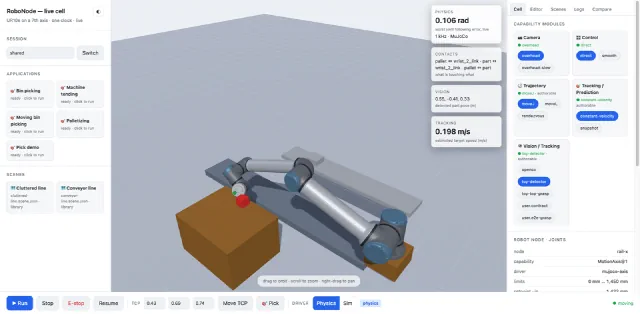
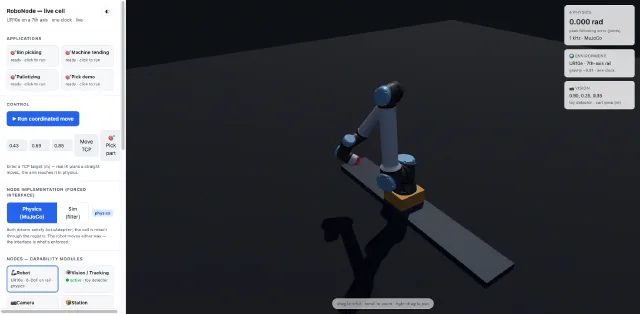
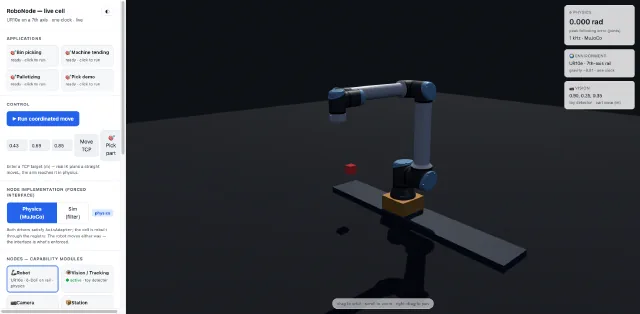
One command brings up a robot cell in your browser: a UR10e on a rail, a conveyor, a bin, a pallet, and an application you can watch run. The physics is real, so the arm is stopped by whatever is in its way, a grasp holds the part it caught, and the conveyor moves the workpiece by friction.
Four things in that cell can be swapped: what sees, what tracks the part, what plans the path, and what drives the arm. Each one is a single interface with several implementations behind it and an empty slot for yours. You write a grasp offset in the editor, it compiles into a sandbox, and it becomes another version you can select. Then you run the same application against both and compare.
The failure case is what I wanted to show. Switch tracking to the snapshot version, run the moving-bin application, and the arm aims where the part was and misses, as it would on a real line, but with no rig, no safety fence and no technician.
I reused the mature engines: MuJoCo for physics, OpenCV for vision, Ruckig for trajectory generation, Pinocchio for kinematics. What I wrote is the C++ around them: the typed interfaces each node implements, a fuel-bounded WASM sandbox for untrusted code, the real-time control loop and its safety gate, an HTTP and SSE wire protocol, and the browser client and CLI that both speak it.