I built an AI agent, DOMIA, that tests software on its own. First, the three building blocks it rests on.
The building blocks
Chat
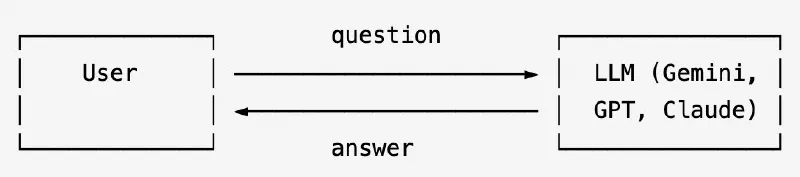
The model reads your text, predicts the most likely useful response, and sends it back. Here’s how to call a chat model with Gemini:
import os
from google import genai

client = genai.Client(api_key=os.environ["GEMINI_API_KEY"])

response = client.models.generate_content(
    model="gemini-2.0-flash",
    contents="What is the capital of France?",
)
print(response.text)

# ── Expected output
# Paris
Function calling
Chat alone can’t look up today’s weather, query a database, or click a button. It only knows what was in its training data. Function calling fixes that. You give the model a list of tools it can use, and it decides when to call them and with which arguments.
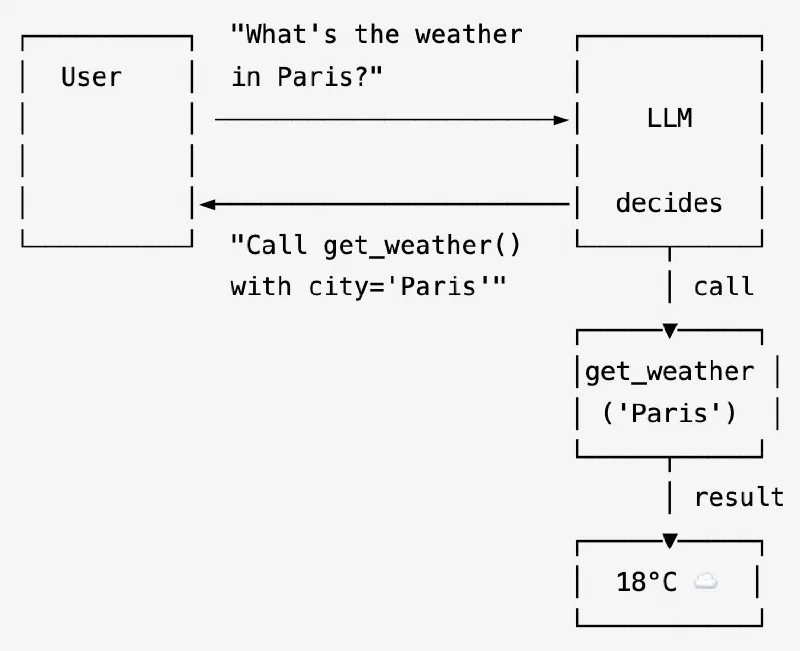
The model doesn’t run the tool. It returns a request: a JSON object saying “call this function with these args”. Your code runs the actual function and feeds the result back.
import os
from google import genai
from google.genai import types

client = genai.Client(api_key=os.environ["GEMINI_API_KEY"])

# 1. Define the tool
def get_weather(city: str) -> dict:
    """Returns the current weather for a given city."""
    # In a real app this would call a weather API.
    ...

# 2. Ask the model something that requires the tool.
chat = client.chats.create(
    model="gemini-2.0-flash",
    config=types.GenerateContentConfig(tools=[get_weather]),
)
response = chat.send_message("What's the weather like in Paris right now?")

# ── Expected output ──────────────────────────────────────────────────────────
# Tool called : get_weather({'city': 'Paris'})
# Tool result : {'temp': '18°C', 'condition': 'Cloudy'}
AI agent frameworks
A single tool call is useful. But what if the task requires 10 steps? What if the model needs to look at the result, decide what to do next, call another tool, and keep going? That’s an agent: a model in a loop, with memory and tools, that keeps acting until it reaches a goal.
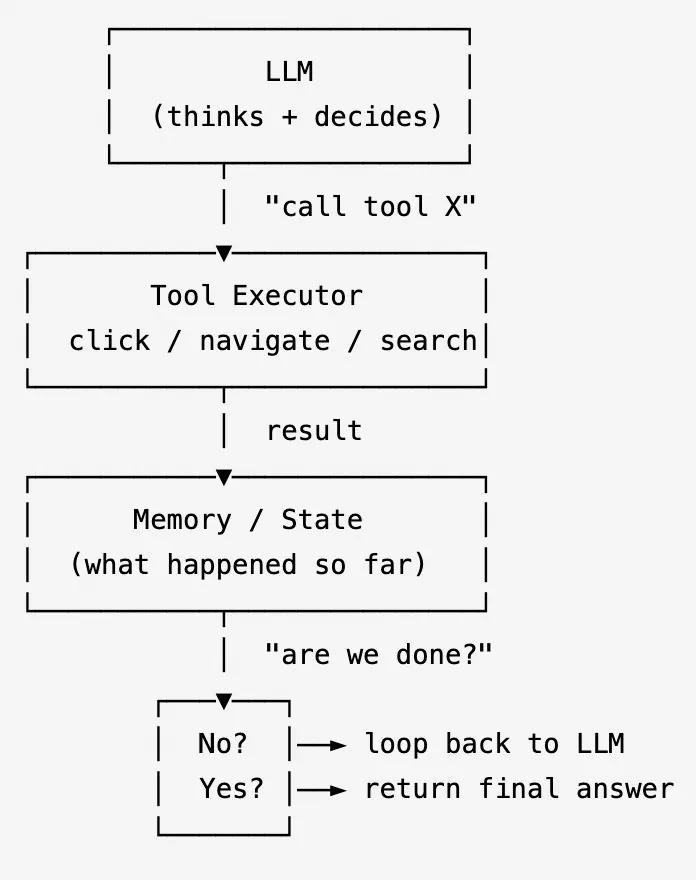
Frameworks such as Google ADK, the OpenAI Agents SDK, LangChain and the Claude Agent SDK run that loop for you. You write the tools:
from google.adk.agents import LlmAgent
from google.adk.tools import FunctionTool

# 1. Define what the agent can do (tools)
def navigate(url: str) -> dict:
    """Navigate the browser to a URL."""
    return {"status": "success"}

def click(ref: str) -> dict:
    """Click an element identified by its ARIA ref."""
    return {"status": "success"}

# 2. Build the agent — give it a goal and tools, nothing else
agent = LlmAgent(
    name="web_tester",
    model="gemini-2.0-flash",
    instruction="You are a web testing agent. Use the tools to complete the given task.",
    tools=[FunctionTool(navigate), FunctionTool(click)],
)
DOMIA
The problem is end-to-end (E2E) test automation across web, mobile, and desktop apps.
Why test automation is hard
Traditional E2E tests are written like this:
driver.find_element(By.ID, "submit-btn").click()
assert driver.find(By.CLASS_NAME, "success-msg").is_displayed()
Change the button ID, rename the class, add an animation, and the test breaks. Someone has to fix it. On a fast-moving product, that someone ends up spending more time maintaining tests than catching real bugs.
And the more complex the scenario, the worse it gets. A test that covers sign-up → email confirmation → login → onboarding takes a week to write and breaks constantly.
What makes AI different here
An AI agent doesn’t care about selectors. It looks at the page the way a human QA engineer does: reading labels, understanding context, figuring out what to click. If you rename a button from “Submit” to “Continue”, the agent still finds it. You describe what the app should do in plain English, and the model judges whether what it sees matches.
How it works
DOMIA is an autonomous QA agent. You give it a target system (a URL for web apps, a mobile app, an Electron window) and a plain-English goal expressed as acceptance criteria. It navigates, clicks, types, scrolls, and reads, then returns a structured verdict: PASS, FAIL, or UNCERTAIN, with a full execution trace as evidence.
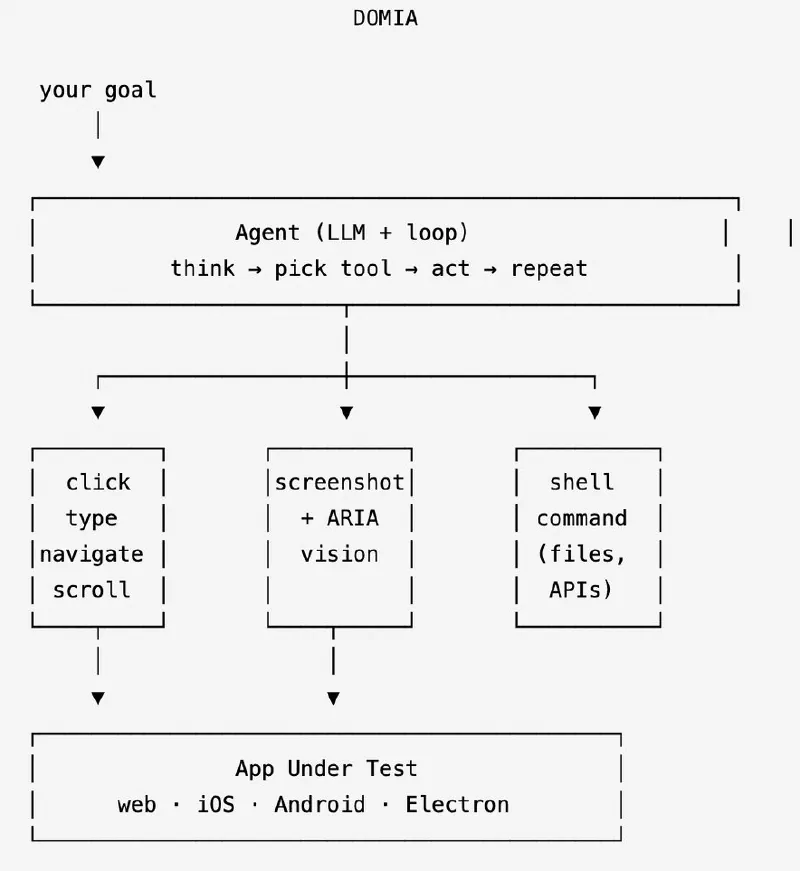
- Google ADK manages the agent loop.
- Gemini is the model; with
--visionit also sees screenshots. - The underlying driver (Playwright for web, Appium for mobile, or Electron APIs for desktop) controls the actual app.
- Every action (click, type, navigate, shell command) is a tool the model can call.
- Every step, tool call, screenshot and verdict is recorded, so a failure can be replayed.
The recordings of the three runs below are in this LinkedIn post.
Example 1 — Multilingual UI regression
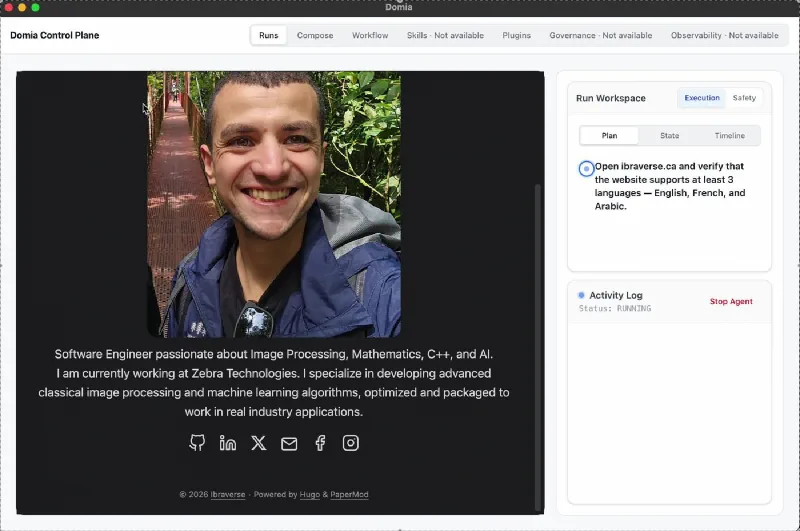
Acceptance criterion: “Open ibraverse.ca and verify that the website supports at least 3 languages — English, French, and one other.”
DOMIA navigates the site, finds the language switcher, cycles through the options and checks that the content changes.
Example 2 — Visual understanding
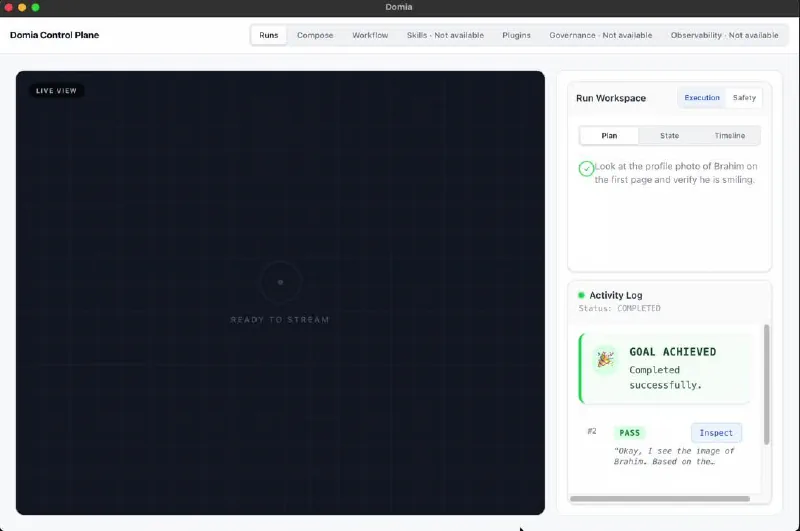
Acceptance criterion: “Look at the profile photo of Brahim on the page and verify he is smiling.”
No DOM element can answer that. With --vision, DOMIA takes a screenshot,
looks at the photo and judges the expression. With a text-only model it
correctly returns FAIL: it can read the alt text, but not the image.
Example 3 — Cross-layer test with shell tools
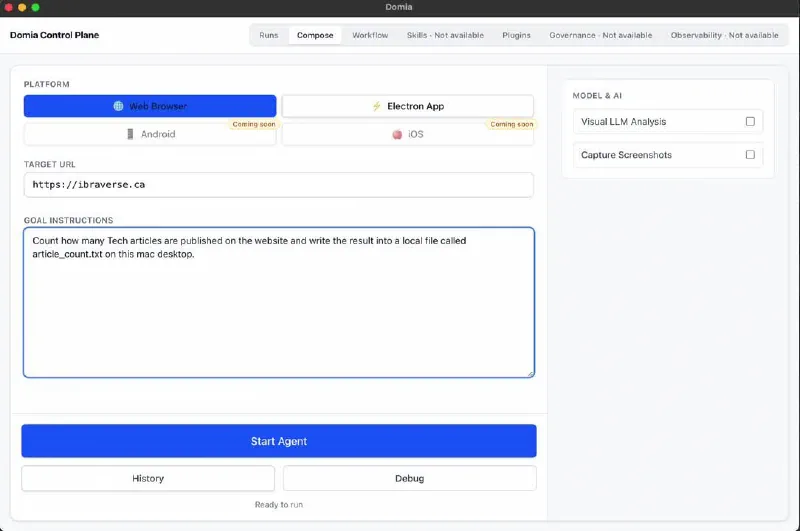
Acceptance criterion: “Count how many articles are published on the website
and write the result into a local file called article_count.txt in the desktop
folder.”
This passes only when the shell tool is enabled. The agent reads the count
from the page and calls echo "2" > article_count.txt on its own.
Other features
- Workflows — a file of test goals runs as a batch; steps can continue on failure.
- Reports —
--report htmlfor people,--report junitfor CI. Every run is also kept in a local SQLite database, so any step can be inspected again. - Plugins — drop a JS file into
~/.domia/plugins/and the agent gets a new tool.
The limits
- It’s not magic. Complex screens with heavy dynamic content, unusual gestures, or non-standard UI patterns can confuse the agent.
- It’s not free. Every LLM call costs tokens, and hundreds of test cases against a cloud model get expensive.
- It’s best for long, stateful journeys. For simple smoke tests, scripted automation is faster and cheaper. DOMIA pays off on the cross-layer scenarios that cost too much to maintain with selectors.
Sources
- Google — Agent Development Kit (ADK)
- Google — Gemini API: function calling
- OpenAI — Agents SDK
- LangChain
- Anthropic — Claude Agent SDK
- Playwright · Appium