One day I was in Düsseldorf airport to take a flight. I had already checked in online and only had the barcode on my phone.
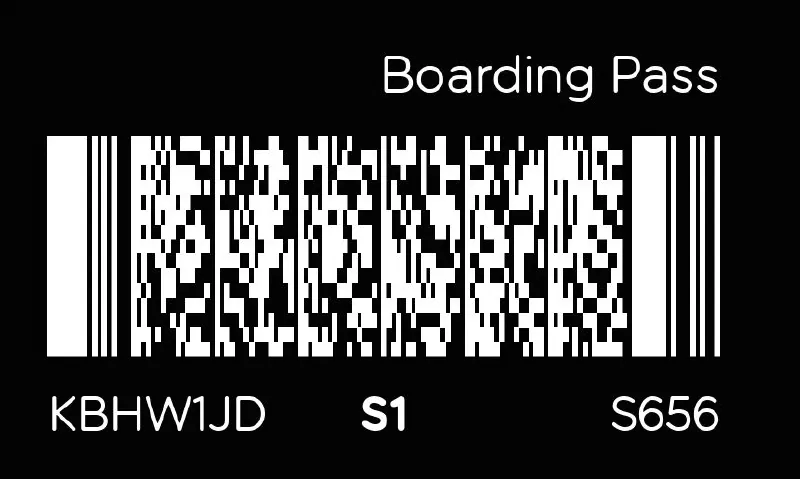
When I arrived at the security checkpoint to scan my barcode, it didn’t work. I was already late. I tried every zoom, rotation… nothing. The security guy told me I needed to go back to the check-in gate and hope they were still there to print a paper boarding pass.
But then I realised: my phone was in dark mode, and the barcode was shown with dark as foreground colour. So I just switched to light mode… and it saved me time, my flight, and a lot of stress.
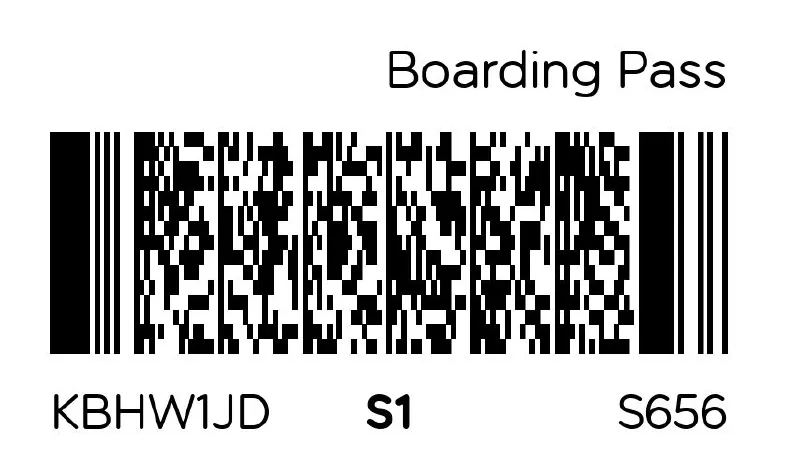
A reader that assumes dark bars on a light background works everywhere except on a phone at night, and that’s where boarding passes are these days. Foreground colour is a setting in every serious imaging library, including the Aurora Imaging Library I work on.
I still switch to light mode before every gate.